Update Server Information
Update your Traccar server instance information.
IMPORTANT
This endpoint is restricted to admin users only on the Traccar server.
Request
To update Traccar server information, follow the steps below.
1. Get the current server information.
php
$data = \ThingsTelemetry\Traccar\Facades\Server::getInformation();2. Update the new DTO as needed.
php
$data->map = \ThingsTelemetry\Traccar\Enums\Map::LOCATION_IQ_DARK;
$data->attributes->speedUnit = \ThingsTelemetry\Traccar\Enums\SpeedUnit::KILOMETERS_PER_HOUR;
IMPORTANT
Only update the fields you want to change.
3. Send the updated DTO to the server method.
php
$response = \ThingsTelemetry\Traccar\Facades\Server::updateInformation($data);Full Example
php
// Get the current server information
$data = \ThingsTelemetry\Traccar\Facades\Server::updateInformation();

// Updated
$data->map = \ThingsTelemetry\Traccar\Enums\Map::LOCATION_IQ_DARK;
$data->attributes->speedUnit = \ThingsTelemetry\Traccar\Enums\SpeedUnit::KILOMETERS_PER_HOUR;
$data->attributes->speedUnit = \ThingsTelemetry\Traccar\Enums\SpeedUnit::MILES_PER_HOUR;
$data->attributes->distanceUnit = \ThingsTelemetry\Traccar\Enums\DistanceUnit::MILES;
$data->attributes->altitudeUnit = \ThingsTelemetry\Traccar\Enums\AltitudeUnit::FEET;
$data->attributes->volumeUnit = \ThingsTelemetry\Traccar\Enums\VolumeUnit::LITERS;
$data->coordinateFormat = \ThingsTelemetry\Traccar\Enums\CoordinateFormat::DDM;
$data->announcement = 'Planned maintenance on Saturday 02:00 UTC';
$data->attributes->timezone = 'Africa/Nairobi';
$data->fixedEmail = false;
$data->bingKey = 'your-bing-key';

// Send
$response = \ThingsTelemetry\Traccar\Facades\Server::updateInformation($data);
IMPORTANT
This process preserves unknown/forward-compatible attributes and avoids accidentally resetting fields you didn’t intend to change.
Results
The response is an instance of ThingsTelemetry\Traccar\Dto\ServerData DTO class
php
$version = $info->version; // "6.10"
$mapProvider = $info->map->label(); // "Google Satellite"
$speedUnitValue = $info->attributes->speedUnit->value; // "kmh"
$speedUnitLabel = $info->attributes->speedUnit->label(); // "Kilometers per Hour (km/h)"
$timezone = $info->attributes->timezone; // "Africa/Nairobi"
Traccar UI Side Effect
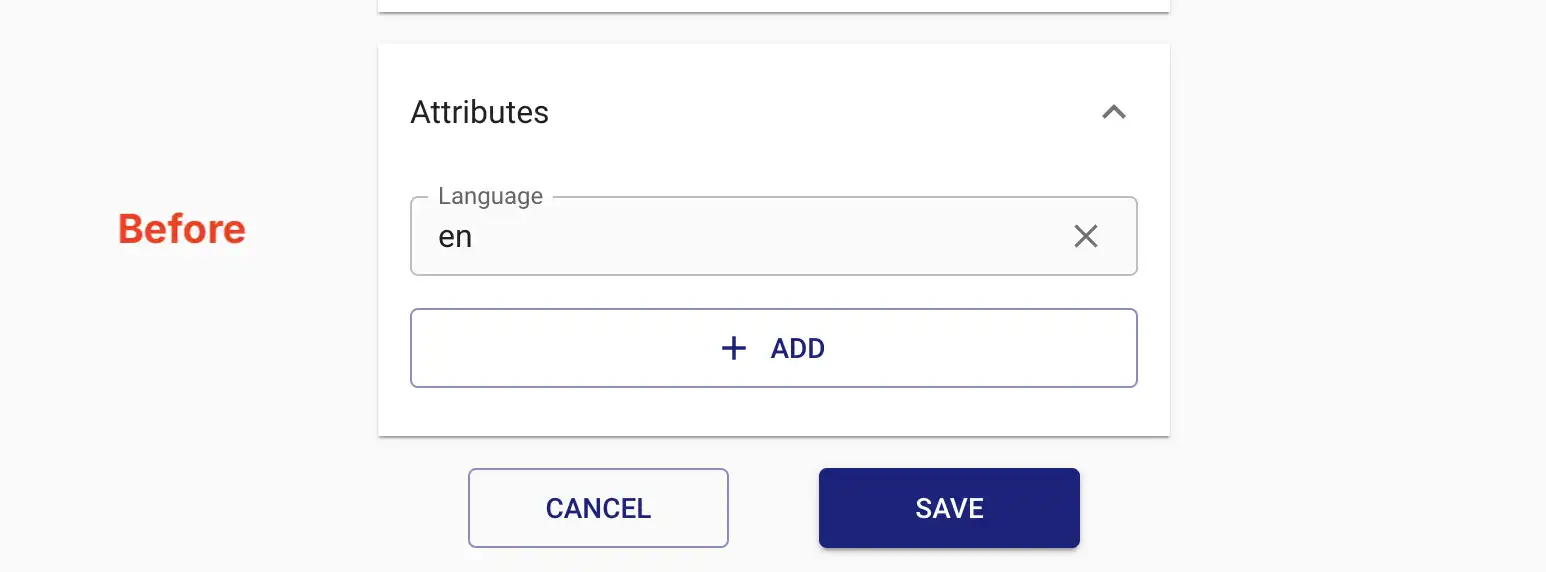
When updateInformation is called, some configuration values are updated to default null or false values.
Before: Null & False Attributes Hidden
After: Null & False Attributes Visible
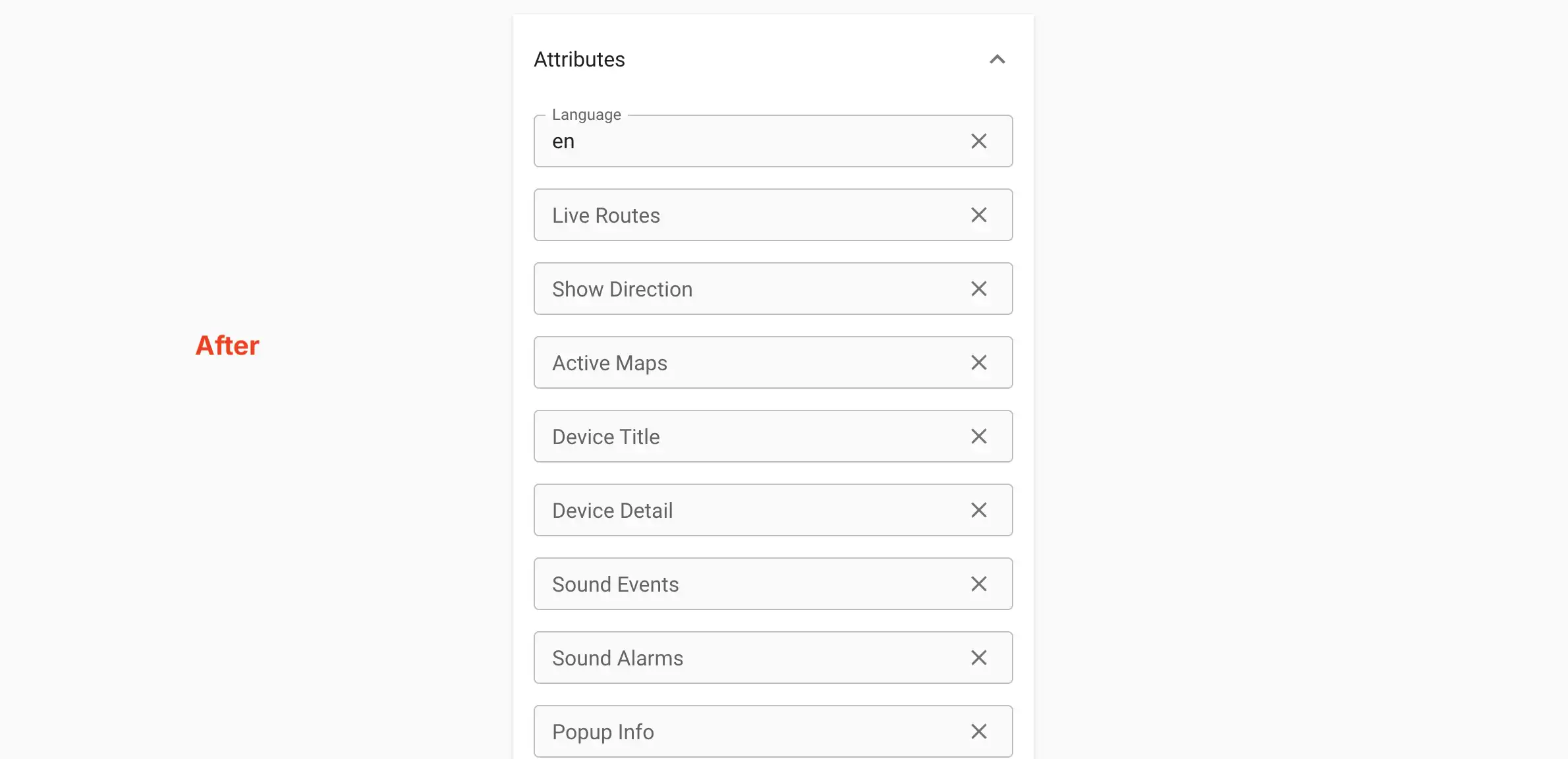
This caused them to show up on Traccar UI. This however, does not affect the actual server configuration.