How to Generate Traccar Bearer Token
To authenticate and authorize access to Traccar's API, you need to generate a bearer token. This token is used for secure communication between your application and the Traccar server.
There are two ways to generate a bearer token: From UI or from CLI.
1. Generating from UI
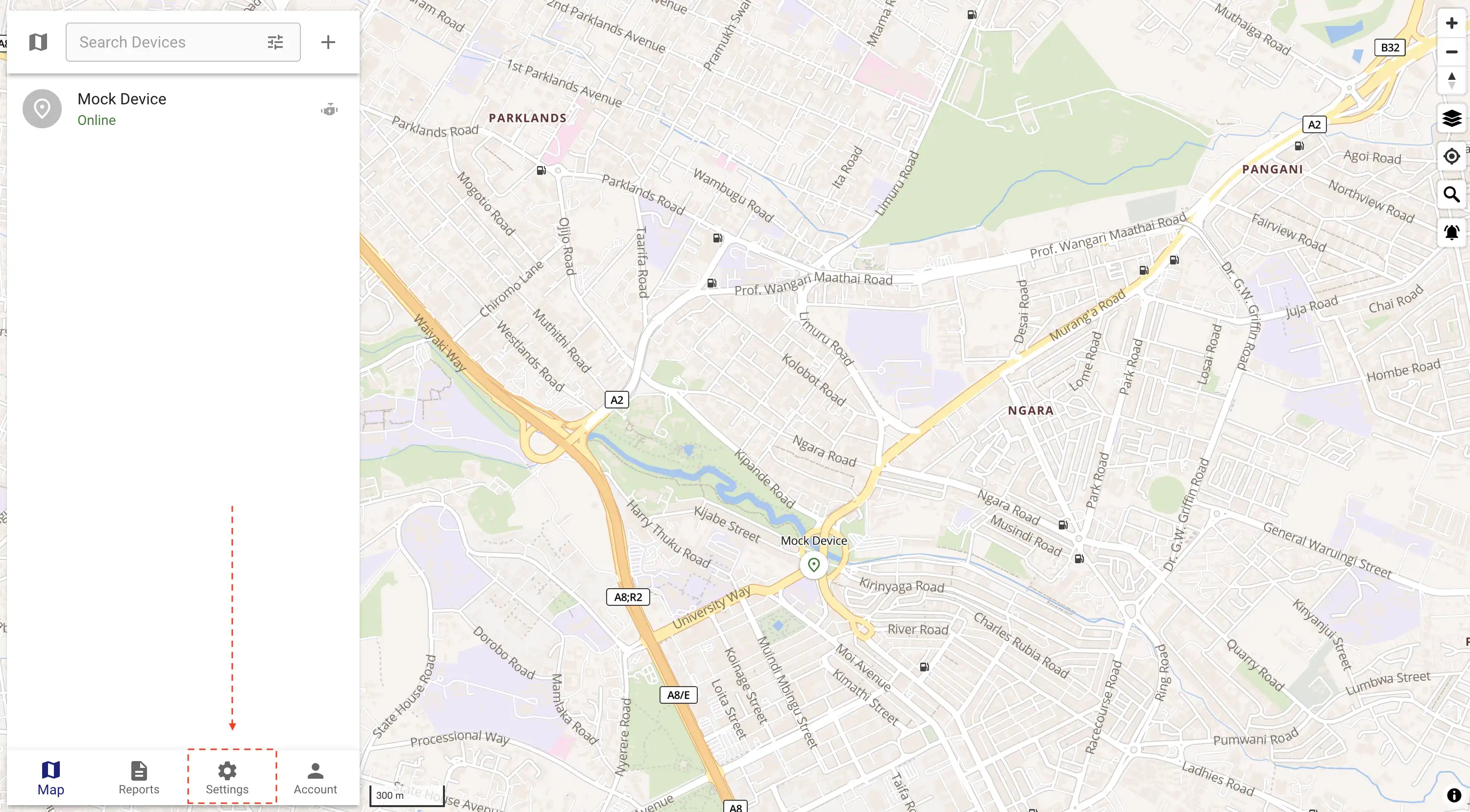
Login into your Traccar account and navigate settings
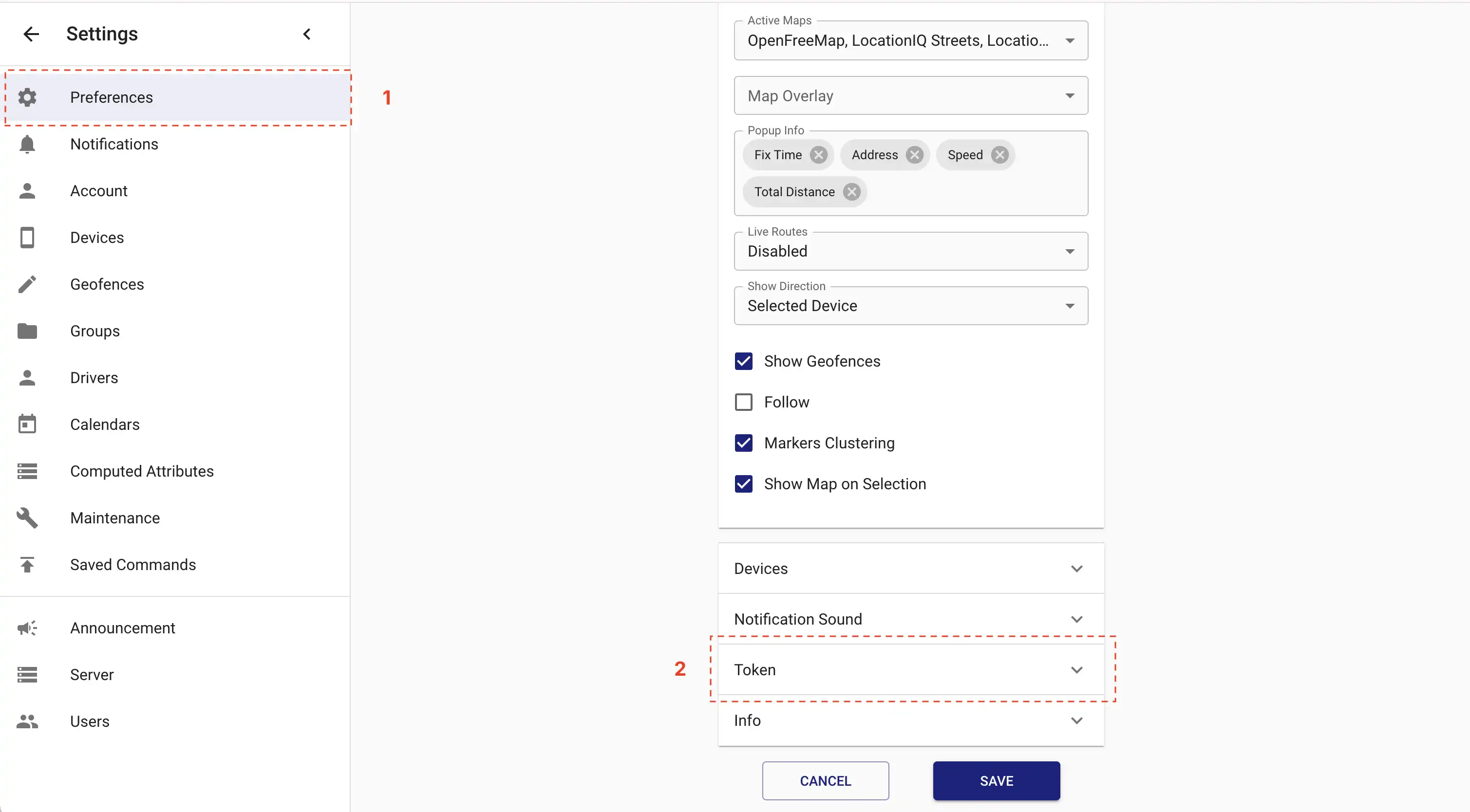
Select preferences and navigate to token section on right
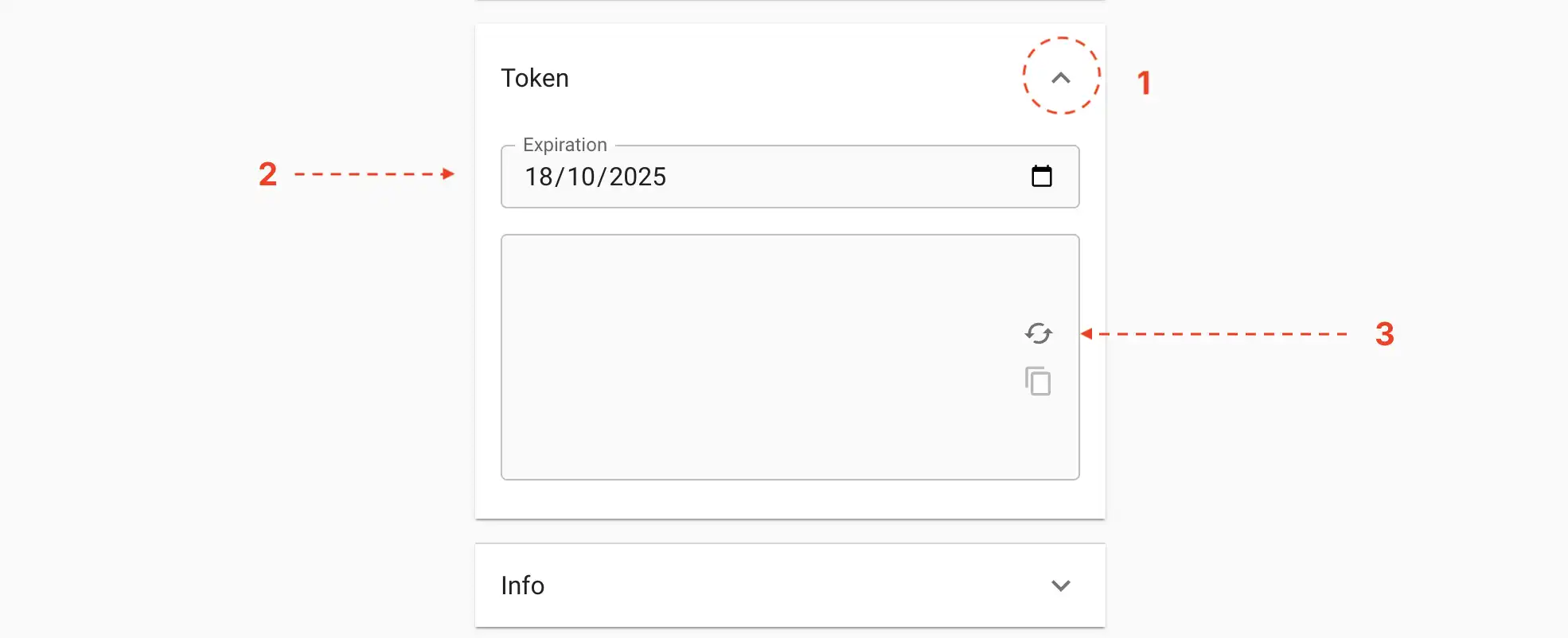
Expand the token section, set an expiration date and click refresh icon to generate a new token.
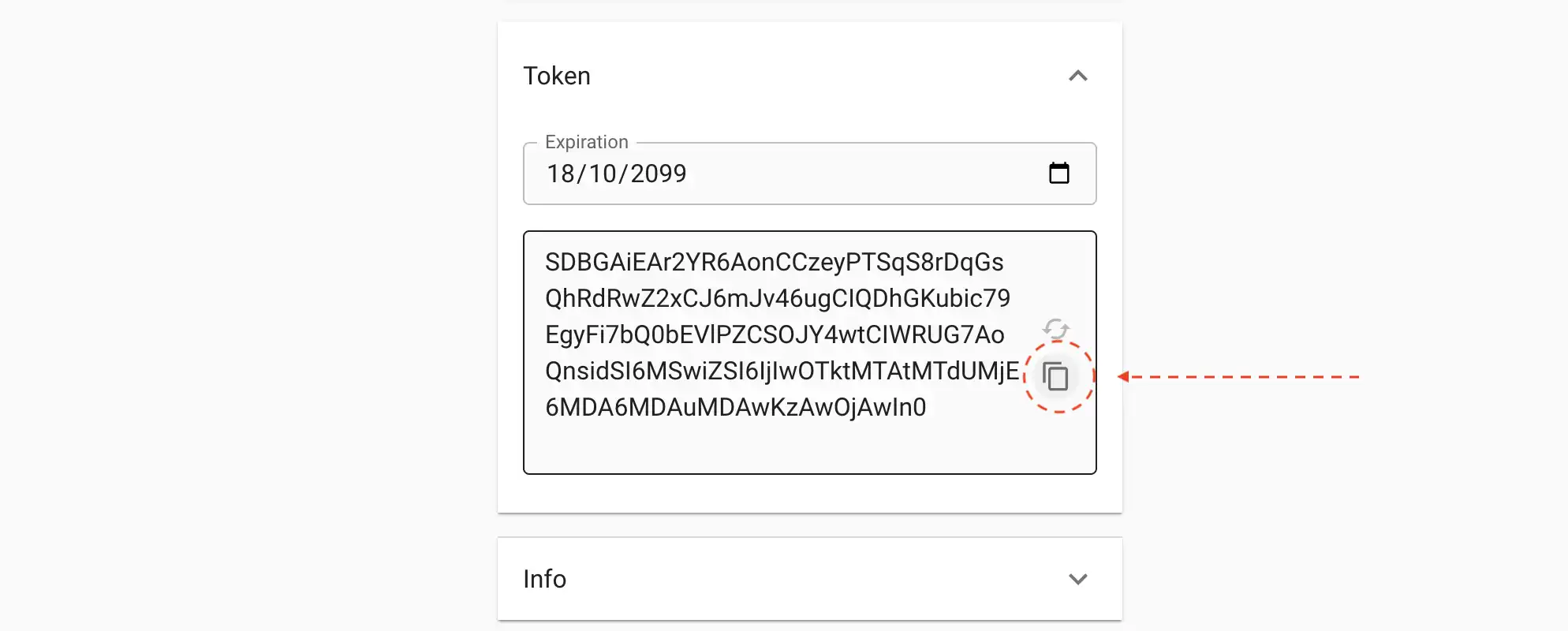
Copy the generated token and use it in your application.
dotenv
TRACCAR_BASE_URL=http://host.docker.internal:8082/api
TRACCAR_API_KEY=your-copied-token-here
2. Generating from CLI
You can use the following bash script to generate a bearer token.
shell
# Replace the values with your own.
BASE_URL="http://localhost:8082"
USERNAME="user@example.com"
PASSWORD="password"
EXPIRATION="2050-10-11T00:00:00Z"

curl -v -u "${USERNAME}:${PASSWORD}" \
  -H "Content-Type: application/x-www-form-urlencoded" \
  -X POST "${BASE_URL}/api/session/token" \
  -d "expiration=${EXPIRATION}"
The results will be a plain text token.
shell
RjBEAiBbgi9NsUCPrVBr17SkmZr....MDowMCJ9%TIP
We plan to create a laravel artisan command in the future to help you generate a bearer token.